ubuntu 16.04 LTS 부턴 이더넷 이름이 eth0 방식이 아니고 enp3s0 방식이다
tvheadend 에서 muxes config 바꾸는일이 여간 짜증나는 일이 아니다.
sudo -s
su - hts
cd ~/.hts/tvheadend/input/iptv/networks/.../muxes/
$ find . -type f -exec sed -i 's/eth0/enp3s0/g' {} \;
또한 muxes 에 등록된 채널들이 압축되어잇는 경우가 있다.
이런경우 웹에서 한방에 바꾸면 된다
https://tvheadend.org/issues/4086
또한 예전 eth0 방식으로 ubuntu 를 돌릴려면
$ vi /etc/default/grub
GRUB_CMDLINE_LINUX_DEFAULT=""
to
GRUB_CMDLINE_LINUX_DEFAULT="net.ifnames=0 biosdevname=0"
$ sudo update-grub
그리고
/etc/network/interfaces 도 손봐야 한다 (dhcp 의 예제)
auto enp3s0
iface enp3s0 inet dhcp
to
auto eth0
iface eth0 inet dhcp
2018년 10월 7일 일요일

2018년 7월 8일 일요일
xiaomi mijia fan (샤오미 유선선풍기 2세대) 사용기
여름이네요, 집에 에어콘이 있지만 그래도 계속 에어콘을 켜고 살수는 없죠
집에 4~5만원대 유선 중소기업 선풍기가 2대나 있지만, 샤오미 유선 선풍기를 구매 하는 이유는 DC 모터이기 때문입니다.
잘 모르겠지만 동작중 웨이브 파형을 일으킬것 같은 AC 모터에 비해서 DC 모터가 전자파도 없을 것 같은 느낌이 들고 소음이 적을것 같은 느낌 (이건 아닐수도 있습니다. 전공이 전자공학인데 잘 모르겄네요 ㅋㅋ)
게다가 DC모터 특성상 100단계 미세속도 조절 및 자연풍 바람이 가능합니다.
밤에 잠이 들면서 AC모터의 중소기업 선풍기 소리의 덜덜덜 거리는 소리로 잠을 깨면 안되니 조용한 DC 모터 선풍기를 알아보던중 명품은 발뮤다 제품은 가격이 40~50만원대 입니다. 그냥 에어콘을 켜는게 나을듯 ^^
그런데 샤오미 유선 선풍기는 같은 성능을 6~7만원대 직구 할 수 있습니다.
샤오미 무선 방식은 14~15만대 이지만 충전해야되고 귀찮네요
시작하기 전에 장단점을 정리해 봅니다.
장점
- 조용한 DC 모터
- 저전력
- 100단계 속도 조절
- Mi Home 앱과 연동으로 스마트폰 앱으로 제어가능
- 30/60/90/120 각도 회전 조절
- 미세한 타이머 기능 : 최대 8시간, 중소기업제품 기계식 타이머는 태엽풀리는 따따따 미세한 소리가 나며 최대 100~120분 이예요
- 자연풍 기능
- 저렴한 가격 6~7만원대 직구
- 음성인식 (중국어만 가능)
- 준수한 디자인 : 디자인은 호불호가 갈리지만 전 제 아내가 이쁘다고 하면 세상에서 제일 이쁜겁니다. 일단 이쁘다고 합니다.
- 저발열 : 오래 안틀어봤지만 기존 AC모터 대비 모터헤드가 뜨거워지지 않습니다. 기존 선풍기는 모터헤드가 뜨거워지면 뜨거운 바람이 부는 단점이 있어요
- 부드러운 목 조절 : 구형선풍기는 방향을 돌리면 딱딱딱 소리 나죠. 요즘 제 목에서도 나는데 부드럽게 돌아갑니다.
단점
- AS 문제 : 어짜피 중소기업 5만원짜리도 AS 잘 안되므로 고장나면 버리는것으로
- 중국어 설명서 : 선풍기엔 그닥 설명서가 필요없습니다. 중소기업 건 들어있지도 않아요
- 중국어만 가능한 음성인식 : 곧 제가 google home 으로 음성인식 연동을 연구할 예정
- 초기 조립필요 : 공대출신들은 간단하지만 기계치들은 어려울 수도 있겠네요 (요즘 택배로 구매하는 제품의 선풍기는 바닥과 봉 정도는 조립필요해요 )
- 조작버턴이 헤드에 있음 : 기존 선풍기에 익숙한 사람은 불만 일수 있는데 제가 찾은 이유는 자면서 선풍기는 발가락으로 끄고 켜는게 제맛인데 이런게 좀 불편하겠네요
- 높이 조절 : 레거시 선풍기는 목에 누르면 2단 높이조절이 되죠. 그런데 상하 각도 조절이 잘되므로 필요 없을것 같기도 합니다.
- 돼지코 필요: 직구할때 하나 넣어주네요. 11자 돼지코 불편하면 일반적인 8자 케이블이면 호환 됩니다.
- 최대 바람세기 : 일반 AC선풍기 최대 강풍보단 약합니다. 그런데 잘때는 강풍 쓸일이 별로 없어서 괜찮습니다. 머리 말리거나 이럴때 최대 강풍쓰시는 분들은 좀 실망할 수 있어요
- 선풍기 망 프라스틱 재질 : 전 오히려 괜찮아 보이네요 촘촘해서 사이로 손다칠 염려도 없
습니다.
대부분 단점은 제 기준에선 모두 커버가 되므로 충분한 매리트가 있는 제품입니다.
바로 도착한 제품입니다. 아래와 같이 포장 되어있죠
 구성품을 조심스레 꺼내면
 조립전 매뉴얼을 한번 봅니다. 중국어네요. 영문이라도 하나 넣어주지 중국분들도 영어 잘하는데 실망입니다.
 그림을 보고 조립을 해봅니다 먼저 헤드 봉부터 장착 봉을 장착하고 동봉된 나사로 조이면 됩니다.
 망 고정전 패키지 분해하는 방법이 매뉴얼 그림이 잘 나와 있어요
뒷 망 고정이예요 자세히 보면 화살표가 위입니다. 고정 나사로 손으로 돌려서 고정하면 됩니다. 뒷망 고정후 고정 나사로 조인 모습입니다.

날개를 넣고 날개를 고정하는 나사로 돌립니다. 날개 고정 나사는 회전시 풀리지 않도록 회전 역방향으로 되어 있습니다. (일반 선풍기도 마찬가지죠)


앞 망을 조립하고 앞망 위쪽에 방향 눈금이 있습니다 눈금을 보고 고정 쪽으로 1센치 정도 살짝 비튼후 동봉된 조그만 나사로 밑에 조여주면 조립이 완성 됩니다.
완성된 모습입니다. 이쁩니다.

헤드 뒤에 조작 버턴이고 맨뒤에 있는 버턴이 전원버턴이예요 1~3초정도 눌러야돼요

Mi Home 앱과 선풍기를 집안 공유기의 Wifi 연동
기본 헤드에 붙어있는 조작버턴으로 모든 선풍기 기능이 제어되지만 좀더 세밀한 제어를 하려면 앱을 깔면 됩니다.
스마트폰 앱으로 선풍기를 제어하려면 먼저 선풍기를 집안 공유기의 Wifi 로 연결해야 합니다. (곧 선풍기가 해킹 당하면 DDoS 공격의 원천 소스로 활용 할수도 있겠네요 ^^ 나중에 DDoS 공격근원지가 선풍기/다리미/에이콘 이런 시대 옵니다.)
앱스토어 에서 Mi Home 앱을 다운로드 합니다.
리전은 전 중국쪽으로 했어요.
직구제품이라 제품 추가할때 글로벌로 안풀린 제품은 앱 제품 추가 메뉴에 안나올때가 있어서 전 중국 리전으로 합니다.
(예전에 샤오미 CCTV 를 중국 출장중에 샤오미 매장에서 직접 구매해왔는데 중국 전용이라 앱에서도 나오지도 않고 한국에서 동작하지 않아 중국 리전으로 돌리고 펌웨어 해킹했습니다. 펌웨어 해킹 매우 힘들었습니다. 예전 엘지전자 스마트 NAS 펌웨어 해킹하는 방법을 올렸을때 내려 달라고 엘지전자에서 연락왔었는데 CCTV 샤오미 국내 정식수입 업체에선 아직 연락 안오네요^^ http://comhack.blogspot.com/2017/12/yi-cctv-17cn.html 참조)
다행히샤오미 유선 선풍기는 중국지역이 아니여도 동작되므로 안심해도 됩니다.
중국리전으로 해도 중국어가 보이긴 하지만 웬만하면 스마트폰 기본 언어 설정으로 되는 제품들이 요즘 샤오미 제품들이 많습니다.
Mi Home 앱을 제대로 쓸려면 샤오미 회원 가입을 해야 할껍니다.
Mi Home 앱에서 + 버턴을 눌러 새기기 제품 추가를 합니다.

환경 가전쪽으로 가면 선풍기 부분에 Mi 스탠드형 선풍기를 선택하면 됩니다.

선택하면 선풍기 전원을 넣고 아래와 지시사항이 나옵니다.

그런데 구체적으로 어딜 눌러야 할지 모르므로 제가 표시해놨습니다.

3초정도 두개 버턴을 눌러주면 Wifi 연결 대기 상태가 되면 제일 밑에 LED가 깜빡깜빡 합니다. 이때 앱에서 선풍기 찾기 하시면 됩니다.

이때 선풍기를 Mi Home 앱에서 잘 찾았으면 Wifi 비밀번호를 넣으라고 합니다.
Wifi 는 5G는 안되고 2.4G 만됩니다.
Wifi 비번을 넣고 연결이되면 아래와 같이 제어를 할수 있습니다.

앱 조작은 별다른 어려운게 없으므로 취향에 맞게 쓰시면 됩니다.
저는 바탕화면으로 빼놔서 잘쓰고 있습니다. 와이프 폰에도 연동시켜주고 애들 폰에도 연동 시켜줬습니다.
다음엔 google home 으로 음성명령으로 연동하는거 시도해보겠습니다. 바로 안되는것으로알고 있어서 많은 삽질이 예상됩니다.
집에 4~5만원대 유선 중소기업 선풍기가 2대나 있지만, 샤오미 유선 선풍기를 구매 하는 이유는 DC 모터이기 때문입니다.
잘 모르겠지만 동작중 웨이브 파형을 일으킬것 같은 AC 모터에 비해서 DC 모터가 전자파도 없을 것 같은 느낌이 들고 소음이 적을것 같은 느낌 (이건 아닐수도 있습니다. 전공이 전자공학인데 잘 모르겄네요 ㅋㅋ)
게다가 DC모터 특성상 100단계 미세속도 조절 및 자연풍 바람이 가능합니다.
밤에 잠이 들면서 AC모터의 중소기업 선풍기 소리의 덜덜덜 거리는 소리로 잠을 깨면 안되니 조용한 DC 모터 선풍기를 알아보던중 명품은 발뮤다 제품은 가격이 40~50만원대 입니다. 그냥 에어콘을 켜는게 나을듯 ^^
그런데 샤오미 유선 선풍기는 같은 성능을 6~7만원대 직구 할 수 있습니다.
샤오미 무선 방식은 14~15만대 이지만 충전해야되고 귀찮네요
시작하기 전에 장단점을 정리해 봅니다.
장점
- 조용한 DC 모터
- 저전력
- 100단계 속도 조절
- Mi Home 앱과 연동으로 스마트폰 앱으로 제어가능
- 30/60/90/120 각도 회전 조절
- 미세한 타이머 기능 : 최대 8시간, 중소기업제품 기계식 타이머는 태엽풀리는 따따따 미세한 소리가 나며 최대 100~120분 이예요
- 자연풍 기능
- 저렴한 가격 6~7만원대 직구
- 음성인식 (중국어만 가능)
- 준수한 디자인 : 디자인은 호불호가 갈리지만 전 제 아내가 이쁘다고 하면 세상에서 제일 이쁜겁니다. 일단 이쁘다고 합니다.
- 저발열 : 오래 안틀어봤지만 기존 AC모터 대비 모터헤드가 뜨거워지지 않습니다. 기존 선풍기는 모터헤드가 뜨거워지면 뜨거운 바람이 부는 단점이 있어요
- 부드러운 목 조절 : 구형선풍기는 방향을 돌리면 딱딱딱 소리 나죠. 요즘 제 목에서도 나는데 부드럽게 돌아갑니다.
단점
- AS 문제 : 어짜피 중소기업 5만원짜리도 AS 잘 안되므로 고장나면 버리는것으로
- 중국어 설명서 : 선풍기엔 그닥 설명서가 필요없습니다. 중소기업 건 들어있지도 않아요
- 중국어만 가능한 음성인식 : 곧 제가 google home 으로 음성인식 연동을 연구할 예정
- 초기 조립필요 : 공대출신들은 간단하지만 기계치들은 어려울 수도 있겠네요 (요즘 택배로 구매하는 제품의 선풍기는 바닥과 봉 정도는 조립필요해요 )
- 조작버턴이 헤드에 있음 : 기존 선풍기에 익숙한 사람은 불만 일수 있는데 제가 찾은 이유는 자면서 선풍기는 발가락으로 끄고 켜는게 제맛인데 이런게 좀 불편하겠네요
- 높이 조절 : 레거시 선풍기는 목에 누르면 2단 높이조절이 되죠. 그런데 상하 각도 조절이 잘되므로 필요 없을것 같기도 합니다.
- 돼지코 필요: 직구할때 하나 넣어주네요. 11자 돼지코 불편하면 일반적인 8자 케이블이면 호환 됩니다.
- 최대 바람세기 : 일반 AC선풍기 최대 강풍보단 약합니다. 그런데 잘때는 강풍 쓸일이 별로 없어서 괜찮습니다. 머리 말리거나 이럴때 최대 강풍쓰시는 분들은 좀 실망할 수 있어요
- 선풍기 망 프라스틱 재질 : 전 오히려 괜찮아 보이네요 촘촘해서 사이로 손다칠 염려도 없
습니다.
대부분 단점은 제 기준에선 모두 커버가 되므로 충분한 매리트가 있는 제품입니다.
바로 도착한 제품입니다. 아래와 같이 포장 되어있죠


뒷 망 고정이예요 자세히 보면 화살표가 위입니다. 고정 나사로 손으로 돌려서 고정하면 됩니다. 뒷망 고정후 고정 나사로 조인 모습입니다.

날개를 넣고 날개를 고정하는 나사로 돌립니다. 날개 고정 나사는 회전시 풀리지 않도록 회전 역방향으로 되어 있습니다. (일반 선풍기도 마찬가지죠)


앞 망을 조립하고 앞망 위쪽에 방향 눈금이 있습니다 눈금을 보고 고정 쪽으로 1센치 정도 살짝 비튼후 동봉된 조그만 나사로 밑에 조여주면 조립이 완성 됩니다.
완성된 모습입니다. 이쁩니다.

헤드 뒤에 조작 버턴이고 맨뒤에 있는 버턴이 전원버턴이예요 1~3초정도 눌러야돼요

Mi Home 앱과 선풍기를 집안 공유기의 Wifi 연동
기본 헤드에 붙어있는 조작버턴으로 모든 선풍기 기능이 제어되지만 좀더 세밀한 제어를 하려면 앱을 깔면 됩니다.
스마트폰 앱으로 선풍기를 제어하려면 먼저 선풍기를 집안 공유기의 Wifi 로 연결해야 합니다. (곧 선풍기가 해킹 당하면 DDoS 공격의 원천 소스로 활용 할수도 있겠네요 ^^ 나중에 DDoS 공격근원지가 선풍기/다리미/에이콘 이런 시대 옵니다.)
앱스토어 에서 Mi Home 앱을 다운로드 합니다.
리전은 전 중국쪽으로 했어요.
직구제품이라 제품 추가할때 글로벌로 안풀린 제품은 앱 제품 추가 메뉴에 안나올때가 있어서 전 중국 리전으로 합니다.
(예전에 샤오미 CCTV 를 중국 출장중에 샤오미 매장에서 직접 구매해왔는데 중국 전용이라 앱에서도 나오지도 않고 한국에서 동작하지 않아 중국 리전으로 돌리고 펌웨어 해킹했습니다. 펌웨어 해킹 매우 힘들었습니다. 예전 엘지전자 스마트 NAS 펌웨어 해킹하는 방법을 올렸을때 내려 달라고 엘지전자에서 연락왔었는데 CCTV 샤오미 국내 정식수입 업체에선 아직 연락 안오네요^^ http://comhack.blogspot.com/2017/12/yi-cctv-17cn.html 참조)
다행히샤오미 유선 선풍기는 중국지역이 아니여도 동작되므로 안심해도 됩니다.
중국리전으로 해도 중국어가 보이긴 하지만 웬만하면 스마트폰 기본 언어 설정으로 되는 제품들이 요즘 샤오미 제품들이 많습니다.
Mi Home 앱을 제대로 쓸려면 샤오미 회원 가입을 해야 할껍니다.
Mi Home 앱에서 + 버턴을 눌러 새기기 제품 추가를 합니다.

환경 가전쪽으로 가면 선풍기 부분에 Mi 스탠드형 선풍기를 선택하면 됩니다.


그런데 구체적으로 어딜 눌러야 할지 모르므로 제가 표시해놨습니다.

3초정도 두개 버턴을 눌러주면 Wifi 연결 대기 상태가 되면 제일 밑에 LED가 깜빡깜빡 합니다. 이때 앱에서 선풍기 찾기 하시면 됩니다.

이때 선풍기를 Mi Home 앱에서 잘 찾았으면 Wifi 비밀번호를 넣으라고 합니다.
Wifi 는 5G는 안되고 2.4G 만됩니다.
Wifi 비번을 넣고 연결이되면 아래와 같이 제어를 할수 있습니다.

앱 조작은 별다른 어려운게 없으므로 취향에 맞게 쓰시면 됩니다.
저는 바탕화면으로 빼놔서 잘쓰고 있습니다. 와이프 폰에도 연동시켜주고 애들 폰에도 연동 시켜줬습니다.
다음엔 google home 으로 음성명령으로 연동하는거 시도해보겠습니다. 바로 안되는것으로알고 있어서 많은 삽질이 예상됩니다.
2018년 6월 3일 일요일
Raspberry Pi KODI 와 harmony 연결
OpenELEC 나 Libreelc 의 KODI 를 사용하시는 분은 아래 설정은 필요 없습니다.
KODI setting 에서 bluetooth 를 on 하고 setting bluetooth 메뉴에서 Harmony Keyboard 를 페어링 하면 됩니다.
아래 Libreelc 에서의 블루투스 연결 방법 참조
https://www.hifiberry.com/build/guides/connecting-an-amazon-echo-via-bluetooth-and-libreelec/
라즈비안을 이용하여 직접 커맨드 콘솔로 연결하실 경우 아래를 보시면 됩니다.
라즈베리파이2 모델의 경우
블루투스 동글이가 필요합니다. 5천원정도 할꺼예요
블루투스 동글이를 usb 포트에 꼽으면 아래와 같이 인식되었는지 알수 있습니다.
root 권한이 필요합니다.
pi@raspberrypi:~ $ sudo -s
root@raspberrypi:/home/pi#
root@raspberrypi:/home/pi# lsusb
Bus 001 Device 004: ID 13fd:3940 Initio Corporation
Bus 001 Device 005: ID 0a12:0001 Cambridge Silicon Radio, Ltd Bluetooth Dongle (HCI mode)
Bus 001 Device 003: ID 0424:ec00 Standard Microsystems Corp. SMSC9512/9514 Fast Ethernet Adapter
Bus 001 Device 002: ID 0424:9514 Standard Microsystems Corp. SMC9514 Hub
Bus 001 Device 001: ID 1d6b:0002 Linux Foundation 2.0 root hub
아래부터는 라즈베리파이2와3이 같습니다. 라즈베리3 부터는 블루투스가 내장되어 있습니다.
hcitool 명령으로 주변에 연결가능한 블루투스 디바이스를 찾아봅니다.
root@raspberrypi:/home/pi# hcitool scan
Scanning ...
C8:DB:26:03:DE:ED Harmony Keyboard
8C:C8:CD:84:6B:21 TVBluetooth
여기서 디바이스들이 안나와도 상관없습니다.
bluetoothctl 명령어로도 재 스캔 가능합니다.
root@raspberrypi:/home/pi# bluetoothctl
[NEW] Controller B8:27:EB:BC:AD:FC raspberrypi [default]
[bluetooth]#
블루투스 명령 콘솔로 들어왔으면 help 를 쳐서 어떠한 명령들이 지원되는지 한번 봅니다.
[bluetooth]# help
Available commands:
list List available controllers
show [ctrl] Controller information
select Select default controller
devices List available devices
paired-devices List paired devices
power Set controller power
pairable Set controller pairable mode
discoverable Set controller discoverable mode
agent Enable/disable agent with given capability
default-agent Set agent as the default one
advertise Enable/disable advertising with given type
set-advertise-uuids [uuid1 uuid2 ...] Set advertise uuids
set-advertise-service [uuid][data=[xx xx ...] Set advertise service data
set-advertise-manufacturer [id][data=[xx xx ...] Set advertise manufacturer data
set-advertise-tx-power Enable/disable TX power to be advertised
set-scan-filter-uuids [uuid1 uuid2 ...] Set scan filter uuids
set-scan-filter-rssi [rssi] Set scan filter rssi, and clears pathloss
set-scan-filter-pathloss [pathloss] Set scan filter pathloss, and clears rssi
set-scan-filter-transport [transport] Set scan filter transport
set-scan-filter-clear Clears discovery filter.
scan Scan for devices
info [dev] Device information
pair [dev] Pair with device
trust [dev] Trust device
untrust [dev] Untrust device
block [dev] Block device
unblock [dev] Unblock device
remove Remove device
connect Connect device
disconnect [dev] Disconnect device
list-attributes [dev] List attributes
set-alias Set device alias
select-attribute Select attribute
attribute-info [attribute] Select attribute
read Read attribute value
write Write attribute value
notify Notify attribute value
register-profile Register profile to connect
unregister-profile Unregister profile
version Display version
quit Quit program
먼저 블루투스 power 를 on 하고 scan 을 해봅니다.
harmony 모바일 앱 에선
Devices > Edit Devices > +Device > ENTERTAINMENT DEVICE :
Manufacturer Name : Apple
Model Number : KODI
이렇게해서 미리 추가합니다.
추가 후 추가된 Devices 에서 Apple Media Player 로 가서 아무키를 누르면 아래와 같이 페어링 하겠냐고 나옵니다.

이럴때 scan 을하면 목록이 나옵니다.
[bluetooth]# power on
Changing power on succeeded
[bluetooth]# scan on
Discovery started
[CHG] Controller B8:27:EB:BC:AD:FC Discovering: yes
[NEW] Device 88:0F:10:91:7B:FA MI_SCALE
[NEW] Device 8C:C8:CD:84:6B:21 TVBluetooth
[NEW] Device 00:9E:C8:B1:DE:22 MIBOX3
[bluetooth]#
아까 hcitool scan 에서 나오지 않는 장치들을 볼수 있습니다.
[bluetooth]# scan on
Discovery started
[CHG] Controller B8:27:EB:BC:AD:FC Discovering: yes
[CHG] Device 88:0F:10:91:7B:FA RSSI: -82
[CHG] Device 00:9E:C8:B1:DE:22 RSSI: -94
[CHG] Device 8C:C8:CD:84:6B:21 RSSI: -99
[CHG] Device 8C:C8:CD:84:6B:21 TxPower: 0
[NEW] Device C8:DB:26:03:DE:ED Harmony Keyboard
[NEW] Device 88:0F:10:91:7B:FA MI_SCALE
[NEW] Device 00:9E:C8:B1:DE:22 MIBOX3
하모니 블루투스 HW주소를 통해 페어링을 합니다.
[bluetooth]# pair C8:DB:26:03:DE:ED
Attempting to pair with C8:DB:26:03:DE:ED
[CHG] Device C8:DB:26:03:DE:ED Connected: yes
[CHG] Device C8:DB:26:03:DE:ED UUIDs: 00001124-0000-1000-8000-00805f9b34fb
[CHG] Device C8:DB:26:03:DE:ED UUIDs: 00001801-0000-1000-8000-00805f9b34fb
[CHG] Device C8:DB:26:03:DE:ED UUIDs: 830a5548-5c66-23bd-0949-c0040000227e
[CHG] Device C8:DB:26:03:DE:ED ServicesResolved: yes
[CHG] Device C8:DB:26:03:DE:ED Paired: yes
Pairing successful
페어링후 연결을 합니다.
[bluetooth]# connect C8:DB:26:03:DE:ED
Attempting to connect to C8:DB:26:03:DE:ED
[CHG] Device C8:DB:26:03:DE:ED Connected: yes
[CHG] Device C8:DB:26:03:DE:ED ServicesResolved: yes
Connection successful
라즈베리파이가 재 부팅후에도 지속 적인 연결을 위하면 trust 명령어로 신뢰관계를 구축합니다.
[Harmony Keyboard]# trust C8:DB:26:03:DE:ED
[CHG] Device C8:DB:26:03:DE:ED Trusted: yes
Changing C8:DB:26:03:DE:ED trust succeeded
이제 Harmony 리모콘으로도 KODI를 제어 가능합니다.
만약 하모니 모바일 앱에서 액티비티를 만들때 다시 페어링을 하라고 하면 페어링과 연결과정을 다시해줍니다.
아래와 같은 다시 페어링 하라는 메시지가 나올수 있음

[bluetooth]# pair C8:DB:26:03:DE:ED
Attempting to pair with C8:DB:26:03:DE:ED
Failed to pair: org.bluez.Error.AlreadyExists
[bluetooth]# connect C8:DB:26:03:DE:ED
Attempting to connect to C8:DB:26:03:DE:ED
[CHG] Device C8:DB:26:03:DE:ED Connected: yes
Connection successful
[CHG] Device C8:DB:26:03:DE:ED ServicesResolved: yes
재 페어링과 재 연결을 해주면 하모니앱에서 아래와 같이 연결되었다고 나옵니다.

KODI setting 에서 bluetooth 를 on 하고 setting bluetooth 메뉴에서 Harmony Keyboard 를 페어링 하면 됩니다.
아래 Libreelc 에서의 블루투스 연결 방법 참조
https://www.hifiberry.com/build/guides/connecting-an-amazon-echo-via-bluetooth-and-libreelec/
라즈비안을 이용하여 직접 커맨드 콘솔로 연결하실 경우 아래를 보시면 됩니다.
라즈베리파이2 모델의 경우
블루투스 동글이가 필요합니다. 5천원정도 할꺼예요
블루투스 동글이를 usb 포트에 꼽으면 아래와 같이 인식되었는지 알수 있습니다.
root 권한이 필요합니다.
pi@raspberrypi:~ $ sudo -s
root@raspberrypi:/home/pi#
root@raspberrypi:/home/pi# lsusb
Bus 001 Device 004: ID 13fd:3940 Initio Corporation
Bus 001 Device 005: ID 0a12:0001 Cambridge Silicon Radio, Ltd Bluetooth Dongle (HCI mode)
Bus 001 Device 003: ID 0424:ec00 Standard Microsystems Corp. SMSC9512/9514 Fast Ethernet Adapter
Bus 001 Device 002: ID 0424:9514 Standard Microsystems Corp. SMC9514 Hub
Bus 001 Device 001: ID 1d6b:0002 Linux Foundation 2.0 root hub
"Cambridge Silicon Radio, Ltd Bluetooth Dongle" 이 USB 에 잘 인식 된것을 알수 있습니다.
hcitool 명령으로 주변에 연결가능한 블루투스 디바이스를 찾아봅니다.
root@raspberrypi:/home/pi# hcitool scan
Scanning ...
C8:DB:26:03:DE:ED Harmony Keyboard
8C:C8:CD:84:6B:21 TVBluetooth
여기서 디바이스들이 안나와도 상관없습니다.
bluetoothctl 명령어로도 재 스캔 가능합니다.
root@raspberrypi:/home/pi# bluetoothctl
[NEW] Controller B8:27:EB:BC:AD:FC raspberrypi [default]
[bluetooth]#
블루투스 명령 콘솔로 들어왔으면 help 를 쳐서 어떠한 명령들이 지원되는지 한번 봅니다.
[bluetooth]# help
Available commands:
list List available controllers
show [ctrl] Controller information
select
devices List available devices
paired-devices List paired devices
power
pairable
discoverable
agent
default-agent Set agent as the default one
advertise
set-advertise-uuids [uuid1 uuid2 ...] Set advertise uuids
set-advertise-service [uuid][data=[xx xx ...] Set advertise service data
set-advertise-manufacturer [id][data=[xx xx ...] Set advertise manufacturer data
set-advertise-tx-power
set-scan-filter-uuids [uuid1 uuid2 ...] Set scan filter uuids
set-scan-filter-rssi [rssi] Set scan filter rssi, and clears pathloss
set-scan-filter-pathloss [pathloss] Set scan filter pathloss, and clears rssi
set-scan-filter-transport [transport] Set scan filter transport
set-scan-filter-clear Clears discovery filter.
scan
info [dev] Device information
pair [dev] Pair with device
trust [dev] Trust device
untrust [dev] Untrust device
block [dev] Block device
unblock [dev] Unblock device
remove
connect
disconnect [dev] Disconnect device
list-attributes [dev] List attributes
set-alias
select-attribute
attribute-info [attribute] Select attribute
read Read attribute value
write Write attribute value
notify
register-profile
unregister-profile Unregister profile
version Display version
quit Quit program
먼저 블루투스 power 를 on 하고 scan 을 해봅니다.
harmony 모바일 앱 에선
Devices > Edit Devices > +Device > ENTERTAINMENT DEVICE :
Manufacturer Name : Apple
Model Number : KODI
이렇게해서 미리 추가합니다.
추가 후 추가된 Devices 에서 Apple Media Player 로 가서 아무키를 누르면 아래와 같이 페어링 하겠냐고 나옵니다.

이럴때 scan 을하면 목록이 나옵니다.
[bluetooth]# power on
Changing power on succeeded
[bluetooth]# scan on
Discovery started
[CHG] Controller B8:27:EB:BC:AD:FC Discovering: yes
[NEW] Device 88:0F:10:91:7B:FA MI_SCALE
[NEW] Device 8C:C8:CD:84:6B:21 TVBluetooth
[NEW] Device 00:9E:C8:B1:DE:22 MIBOX3
[bluetooth]#
아까 hcitool scan 에서 나오지 않는 장치들을 볼수 있습니다.
[bluetooth]# scan on
Discovery started
[CHG] Controller B8:27:EB:BC:AD:FC Discovering: yes
[CHG] Device 88:0F:10:91:7B:FA RSSI: -82
[CHG] Device 00:9E:C8:B1:DE:22 RSSI: -94
[CHG] Device 8C:C8:CD:84:6B:21 RSSI: -99
[CHG] Device 8C:C8:CD:84:6B:21 TxPower: 0
[NEW] Device C8:DB:26:03:DE:ED Harmony Keyboard
[NEW] Device 88:0F:10:91:7B:FA MI_SCALE
[NEW] Device 00:9E:C8:B1:DE:22 MIBOX3
하모니 블루투스 HW주소를 통해 페어링을 합니다.
[bluetooth]# pair C8:DB:26:03:DE:ED
Attempting to pair with C8:DB:26:03:DE:ED
[CHG] Device C8:DB:26:03:DE:ED Connected: yes
[CHG] Device C8:DB:26:03:DE:ED UUIDs: 00001124-0000-1000-8000-00805f9b34fb
[CHG] Device C8:DB:26:03:DE:ED UUIDs: 00001801-0000-1000-8000-00805f9b34fb
[CHG] Device C8:DB:26:03:DE:ED UUIDs: 830a5548-5c66-23bd-0949-c0040000227e
[CHG] Device C8:DB:26:03:DE:ED ServicesResolved: yes
[CHG] Device C8:DB:26:03:DE:ED Paired: yes
Pairing successful
페어링후 연결을 합니다.
[bluetooth]# connect C8:DB:26:03:DE:ED
Attempting to connect to C8:DB:26:03:DE:ED
[CHG] Device C8:DB:26:03:DE:ED Connected: yes
[CHG] Device C8:DB:26:03:DE:ED ServicesResolved: yes
Connection successful
라즈베리파이가 재 부팅후에도 지속 적인 연결을 위하면 trust 명령어로 신뢰관계를 구축합니다.
[Harmony Keyboard]# trust C8:DB:26:03:DE:ED
[CHG] Device C8:DB:26:03:DE:ED Trusted: yes
Changing C8:DB:26:03:DE:ED trust succeeded
이제 Harmony 리모콘으로도 KODI를 제어 가능합니다.
만약 하모니 모바일 앱에서 액티비티를 만들때 다시 페어링을 하라고 하면 페어링과 연결과정을 다시해줍니다.
아래와 같은 다시 페어링 하라는 메시지가 나올수 있음

[bluetooth]# pair C8:DB:26:03:DE:ED
Attempting to pair with C8:DB:26:03:DE:ED
Failed to pair: org.bluez.Error.AlreadyExists
[bluetooth]# connect C8:DB:26:03:DE:ED
Attempting to connect to C8:DB:26:03:DE:ED
[CHG] Device C8:DB:26:03:DE:ED Connected: yes
Connection successful
[CHG] Device C8:DB:26:03:DE:ED ServicesResolved: yes
재 페어링과 재 연결을 해주면 하모니앱에서 아래와 같이 연결되었다고 나옵니다.

2018년 5월 20일 일요일
교토 - 금각사, 청수사
오사카 패키지 여행에 중간쯤 온것 같습니다.
오늘은 교토에 있는 금각사, 청수사가 일정이네요
일본 교토지역에 유명한 금각사는 사원의 일종으로 우리나라 경주와 같이 일본 수학여행으로 많이 오는것 같습니다.
한번 불이 나서 재건 한듯 합니다. 유네스코 등록도 되어있으며 일본은 웬만한 문화 유적지를 유네스코 등재를 많이 한것 같네요
비가 오는날인데도 사람과 학생들이 무진장 많습니다.
주차장에서 좀 걸어 오면 매표소가 보이고


표는 아래와 같이 생겼어요 (부적 같은?)

한바퀴 돌면 하이라이트 금각사가 보입니다. 최근 금칠을 다시 했는데 한 20키로쯤 했다고 합니다. 돈이 수억 들었다네요
금각사 배경으로 많은 사진을 찍을려고 하시는 분들이 많아서 간신히 찍었습니다.


금각사라고 대응되는 은각사라고 있는데 은칠은 되어있지 않았습니다.
퀵하게 둘러보고 교토에 다른 사찰 청수사로 향하게 됩니다. 교토엔 사찰이 많은것 같아요
청수사도 여러차례 화재로 소실과 재건을 반복 한것 같습니다. 읿본 사찰 대부분이 화재로 인한 재건을 반복 했다고 하네요.
청수사 들어가는 입구에 관광차가 들락날락 거리는데 만만치 않네요. 버스 기사님이 매우 힘들어 합니다. 버스가 겨우 1대 들락날락 거리는데 길을 넓힐 투자를 하지 않네요

버스 기사님이 거의 묘기를 부리며 올라왔습니다.

사람이 무진장 많군요 안에 무대 라는 곳을 들어 갈려면 표가 필요합니다.


그 무대라고 불리우는 난간에 뛰어내려서 살아 남으면 소원이 이루어진다고 하던데 뛰어 내리면 죽는 높이 입니다. 그러지 맙시다.
무대 난관 밑을 찍어봤고

지금 보수중인가보네요
 이정도 높이인데 소원이루다 뛰어내리면 먼저 죽을듯 하네요.

여기 기모노 렌탈 샵이 있는지 기모노 입고 많이 돌아다니는데 절때 일본인은 아님 한국인이거나 중국인 우리나라 경복궁 처럼 그러고 다니는것 같아요
 무대 밑에 다 내려왔어요

청수사 주차장에서 부터 입구까지 올라갈땐 입구쪽을 구경 못했는데 많은 기념품 샾과 음식점들이 있어요. 아기 자기 하네요


금각사
청수사
오늘은 교토에 있는 금각사, 청수사가 일정이네요
일본 교토지역에 유명한 금각사는 사원의 일종으로 우리나라 경주와 같이 일본 수학여행으로 많이 오는것 같습니다.
한번 불이 나서 재건 한듯 합니다. 유네스코 등록도 되어있으며 일본은 웬만한 문화 유적지를 유네스코 등재를 많이 한것 같네요
비가 오는날인데도 사람과 학생들이 무진장 많습니다.
주차장에서 좀 걸어 오면 매표소가 보이고


한바퀴 돌면 하이라이트 금각사가 보입니다. 최근 금칠을 다시 했는데 한 20키로쯤 했다고 합니다. 돈이 수억 들었다네요
금각사 배경으로 많은 사진을 찍을려고 하시는 분들이 많아서 간신히 찍었습니다.


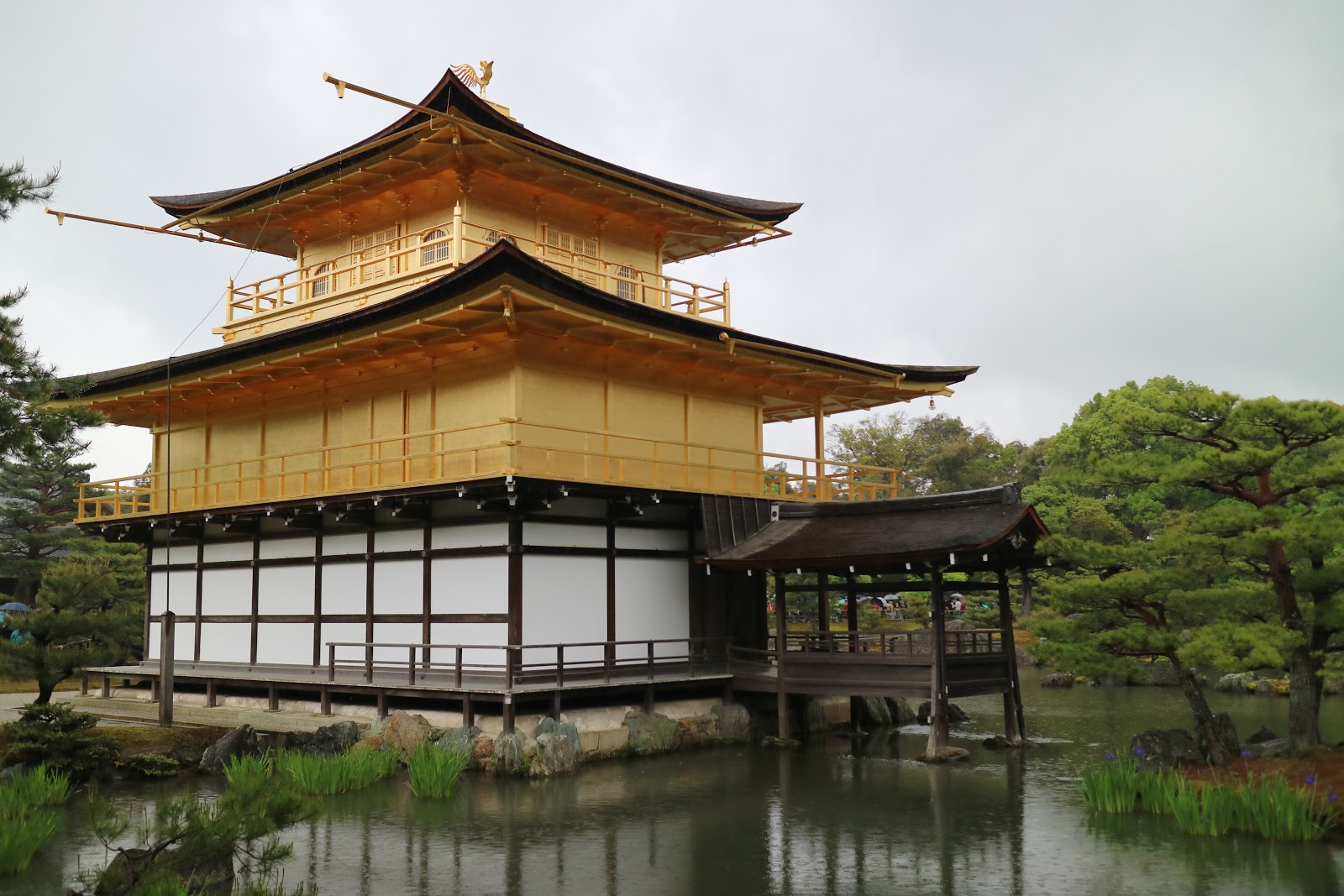
금각사라고 대응되는 은각사라고 있는데 은칠은 되어있지 않았습니다.
퀵하게 둘러보고 교토에 다른 사찰 청수사로 향하게 됩니다. 교토엔 사찰이 많은것 같아요
청수사도 여러차례 화재로 소실과 재건을 반복 한것 같습니다. 읿본 사찰 대부분이 화재로 인한 재건을 반복 했다고 하네요.
청수사 들어가는 입구에 관광차가 들락날락 거리는데 만만치 않네요. 버스 기사님이 매우 힘들어 합니다. 버스가 겨우 1대 들락날락 거리는데 길을 넓힐 투자를 하지 않네요

버스 기사님이 거의 묘기를 부리며 올라왔습니다.

사람이 무진장 많군요 안에 무대 라는 곳을 들어 갈려면 표가 필요합니다.


그 무대라고 불리우는 난간에 뛰어내려서 살아 남으면 소원이 이루어진다고 하던데 뛰어 내리면 죽는 높이 입니다. 그러지 맙시다.
무대 난관 밑을 찍어봤고

지금 보수중인가보네요


여기 기모노 렌탈 샵이 있는지 기모노 입고 많이 돌아다니는데 절때 일본인은 아님 한국인이거나 중국인 우리나라 경복궁 처럼 그러고 다니는것 같아요

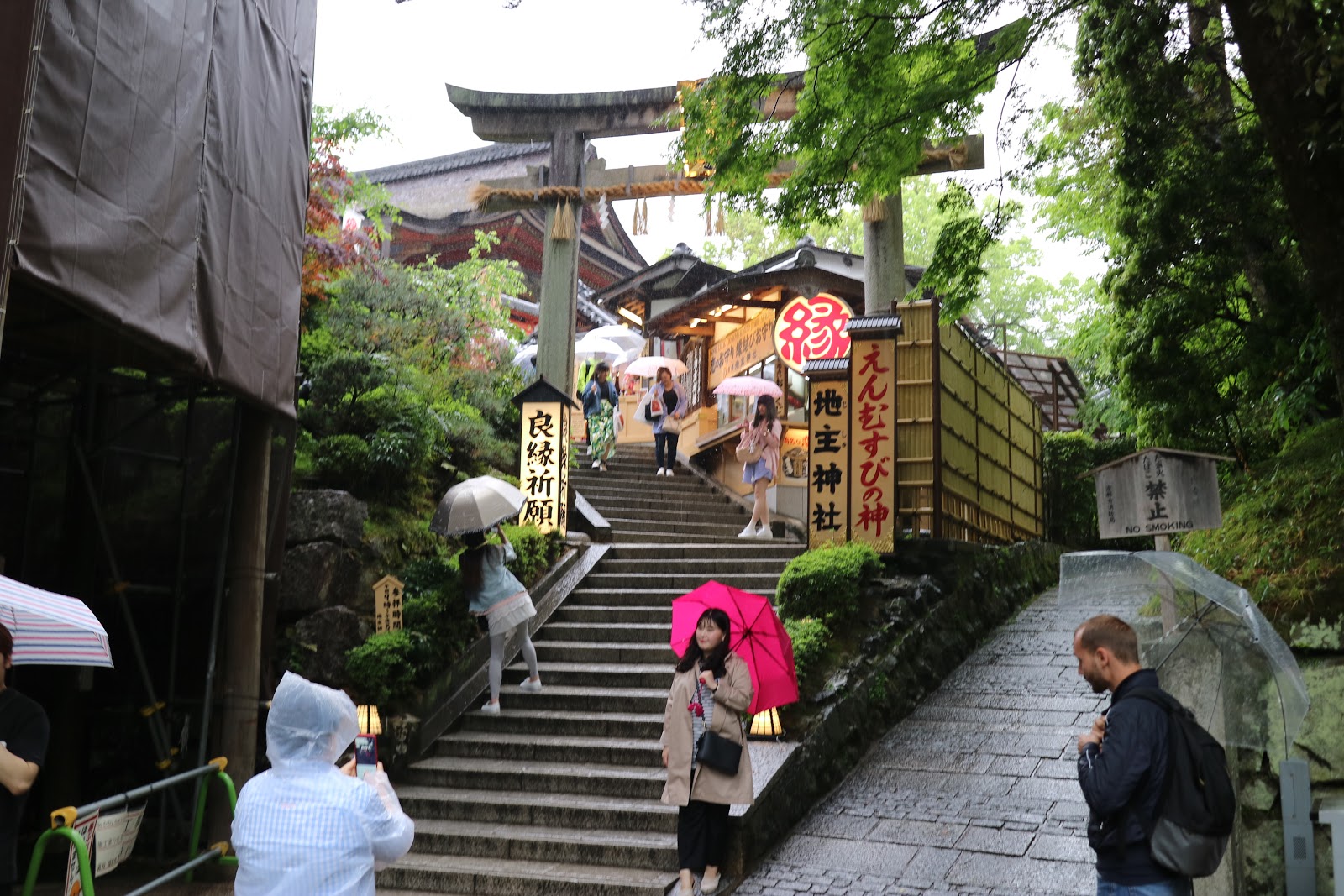
청수사 주차장에서 부터 입구까지 올라갈땐 입구쪽을 구경 못했는데 많은 기념품 샾과 음식점들이 있어요. 아기 자기 하네요


금각사
청수사
2018년 5월 8일 화요일
교토 - 도게츠교, 아라시야마 대나무숲
교토의 아라시야마 는 교토의 대표적인 관광지라고 하네요.
봄에는 벛꽃, 가을에는 단풍명소로 유명하다고 합니다.
교토 아라시야마에는 엄청난 대나무 숲이 있는데 이숲으로 가기전 천년의 역사를 가진 도케츠교를 보게 됩니다.
이 다리를 연인이 건널때 뒤를 돌아보면 헤여진다는 소문이 있더군요. 연인사이는 다리를 건너면서 뒤 돌아 보시지 마시길...
저는 시간관계상 멀리서 사진만 찍었습니다.


아라시야마 대나무 숲으로 가는길에 많은 음식점, 디저트가게, 많은 기념품 가게등을 만납니다. 사람이 무척 많습니다.


대나무 숲에 들어오면 정말 울창한 대나무 숲이 끝도 없이 펼쳐집니다.


많은 CF 장소로 유명하다고 하네요.
안에 아담한 규모의 산사도 있는데 입장료를 받나 봅니다. 밖에서만 사진으로


인력거 관광도 있나 봅니다.


비가 오는데도 엄청난 인파와 함께 돌아다녔어요. 저는 오전에 갔는데 오후에는 사람이 더 많다고 합니다.
봄에는 벛꽃, 가을에는 단풍명소로 유명하다고 합니다.
교토 아라시야마에는 엄청난 대나무 숲이 있는데 이숲으로 가기전 천년의 역사를 가진 도케츠교를 보게 됩니다.
이 다리를 연인이 건널때 뒤를 돌아보면 헤여진다는 소문이 있더군요. 연인사이는 다리를 건너면서 뒤 돌아 보시지 마시길...
저는 시간관계상 멀리서 사진만 찍었습니다.


아라시야마 대나무 숲으로 가는길에 많은 음식점, 디저트가게, 많은 기념품 가게등을 만납니다. 사람이 무척 많습니다.


대나무 숲에 들어오면 정말 울창한 대나무 숲이 끝도 없이 펼쳐집니다.


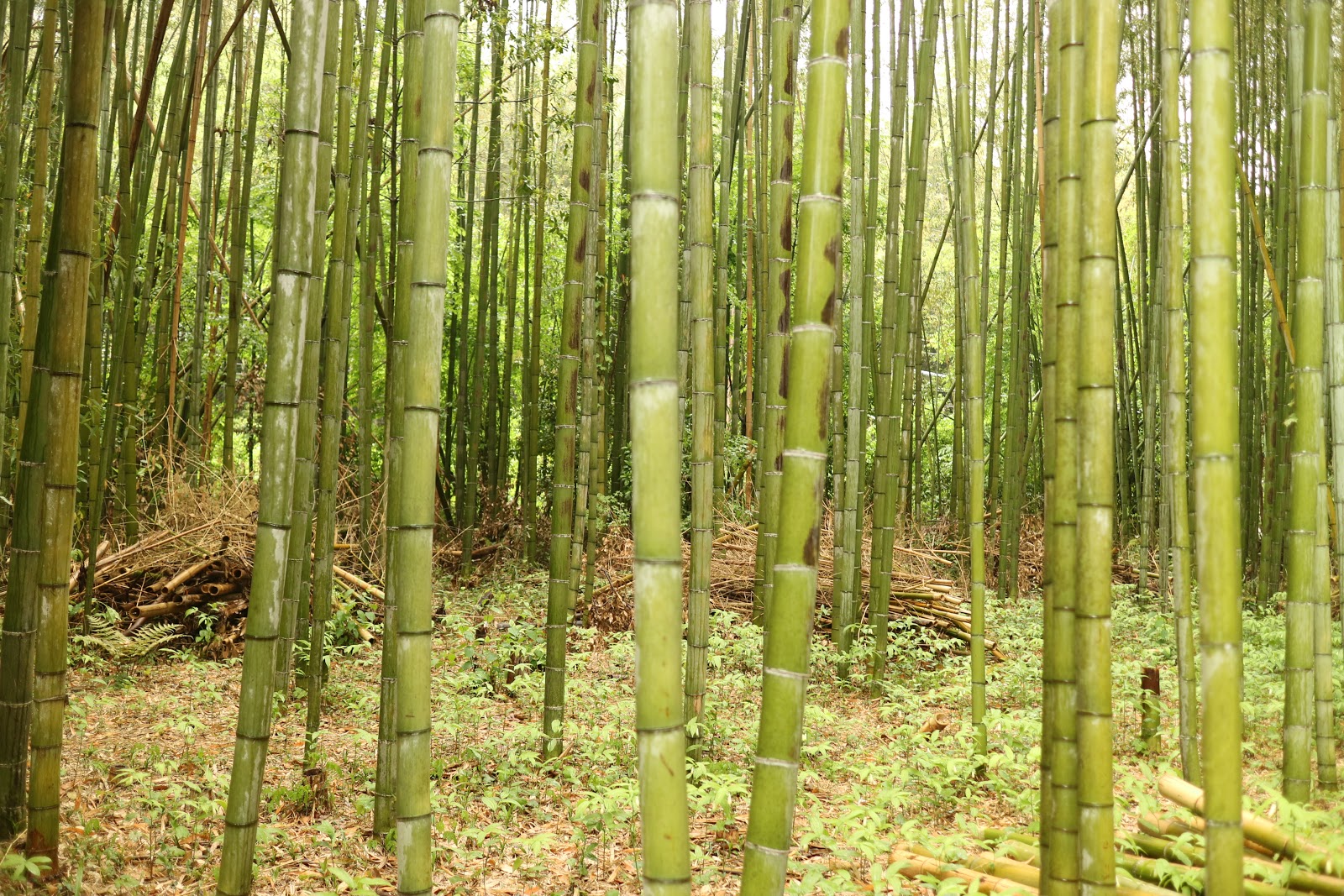
많은 CF 장소로 유명하다고 하네요.
안에 아담한 규모의 산사도 있는데 입장료를 받나 봅니다. 밖에서만 사진으로


인력거 관광도 있나 봅니다.


비가 오는데도 엄청난 인파와 함께 돌아다녔어요. 저는 오전에 갔는데 오후에는 사람이 더 많다고 합니다.
피드 구독하기:
글 (Atom)
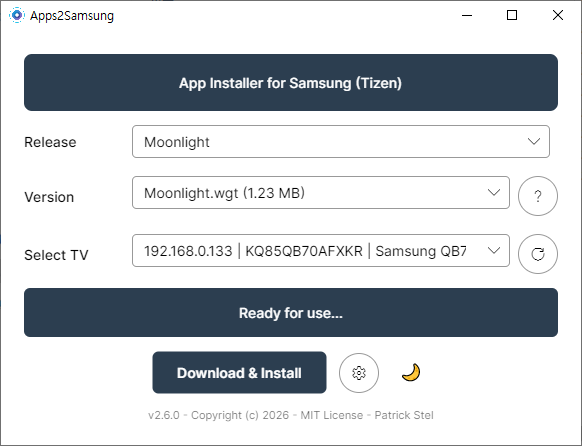
Stream Your PC Games to a Samsung TV — Sunshine + Moonlight Setup Guide (Free GeForce Now Alternative)
Stream Your PC Games to a Samsung TV — Sunshine + Moonlight Cloud gaming like GeForce Now costs a monthly subscription. But what if you u...
-
 마우이 북쪽에 카팔루아 비치라고 유명한 스노우 쿨링 장소가 있습니다. 주차장은 카팔루아 비치를 따라 트레일 코스가 있는데 비치 이용자 및 트레일러를 위한 무료 주차장이 있습니다. 아침 9시 이전에 가면 주차장이 널널 합니다. 주차장은 점심 시간대...
 -
 Want to install Jellyfin on a Samsung Tizen TV? Start with the Samsung Apps store. Jellyfin now has an official Tizen client, but store ava...
 -
 빅아일랜드 코나 지역에서 힐튼 와이콜리아 빌리지 호텔에 묵었지만 호텔에 딸려있는 레스토랑은 줄도 길고 너무 비싸고 맛도 없다는것을 금방 알게 됩니다. 특히 팁 세금 까지 합하면 아이들과 도니 &토니스 피자에서 피자 한판 먹는데 7만원이 ...